Sale Price:
$15.00
Original Price:
$30.00
Professional Skin Retouching Made Simple
Achieve clean, natural-looking skin without the complicated workflows.
The Basic Skin Retouching Pack gives you the essential Photoshop actions you need to create professional-quality retouchs faster. Whether you’re just getting started or looking to simplify your editing process, this pack provides the core tools trusted by Taxi PNG to deliver smooth, realistic skin while preserving natural texture.
Forget unnecessary features and overwhelming workflows. This pack focuses on the fundamentals that matter most, making it the perfect starting point for anyone learning professional skin retouching.
What’s Included
Rush Skin Texture Retouch – One-click skin smoothing for fast edits.
Basic Frequency Separation – Quickly even out skin tones while preserving texture.
Manual Frequency Separation – Includes a makeup layer for additional creative control.
Standard Frequency Separation – A clean, professional frequency separation workflow.
Complex Texture Frequency Separation – Advanced texture enhancement with Dodge & Burn layers for premium beauty retouching.
Step-by-Step Video Tutorial – Learn exactly how to use every action from start to finish.
Practice Images Included – Follow along using the same images featured in the tutorial to build confidence and master the workflow.
Perfect For
Why You’ll Love It
Beginner-friendly workflow
Professional Photoshop actions
Non-destructive editing
Fast, repeatable results
Natural-looking skin texture
Works beautifully on all skin tones
Fully customizable actions
Practice files included so you can learn by doing
Instant Digital Download
Download your pack immediately after purchase and start retouching in minutes.
Includes Photoshop Actions, a complete video tutorial, and practice images so you can follow every step exactly as demonstrated.
Simple. Smooth. Professional.
Everything you need. Nothing you don’t.
Step-By-Step How To Use The Pack : https://youtu.be/u5bdrYAHQ2Y
Professional Skin Retouching Made Simple
Achieve clean, natural-looking skin without the complicated workflows.
The Basic Skin Retouching Pack gives you the essential Photoshop actions you need to create professional-quality retouchs faster. Whether you’re just getting started or looking to simplify your editing process, this pack provides the core tools trusted by Taxi PNG to deliver smooth, realistic skin while preserving natural texture.
Forget unnecessary features and overwhelming workflows. This pack focuses on the fundamentals that matter most, making it the perfect starting point for anyone learning professional skin retouching.
What’s Included
Rush Skin Texture Retouch – One-click skin smoothing for fast edits.
Basic Frequency Separation – Quickly even out skin tones while preserving texture.
Manual Frequency Separation – Includes a makeup layer for additional creative control.
Standard Frequency Separation – A clean, professional frequency separation workflow.
Complex Texture Frequency Separation – Advanced texture enhancement with Dodge & Burn layers for premium beauty retouching.
Step-by-Step Video Tutorial – Learn exactly how to use every action from start to finish.
Practice Images Included – Follow along using the same images featured in the tutorial to build confidence and master the workflow.
Perfect For
Why You’ll Love It
Beginner-friendly workflow
Professional Photoshop actions
Non-destructive editing
Fast, repeatable results
Natural-looking skin texture
Works beautifully on all skin tones
Fully customizable actions
Practice files included so you can learn by doing
Instant Digital Download
Download your pack immediately after purchase and start retouching in minutes.
Includes Photoshop Actions, a complete video tutorial, and practice images so you can follow every step exactly as demonstrated.
Simple. Smooth. Professional.
Everything you need. Nothing you don’t.
Step-By-Step How To Use The Pack : https://youtu.be/u5bdrYAHQ2Y
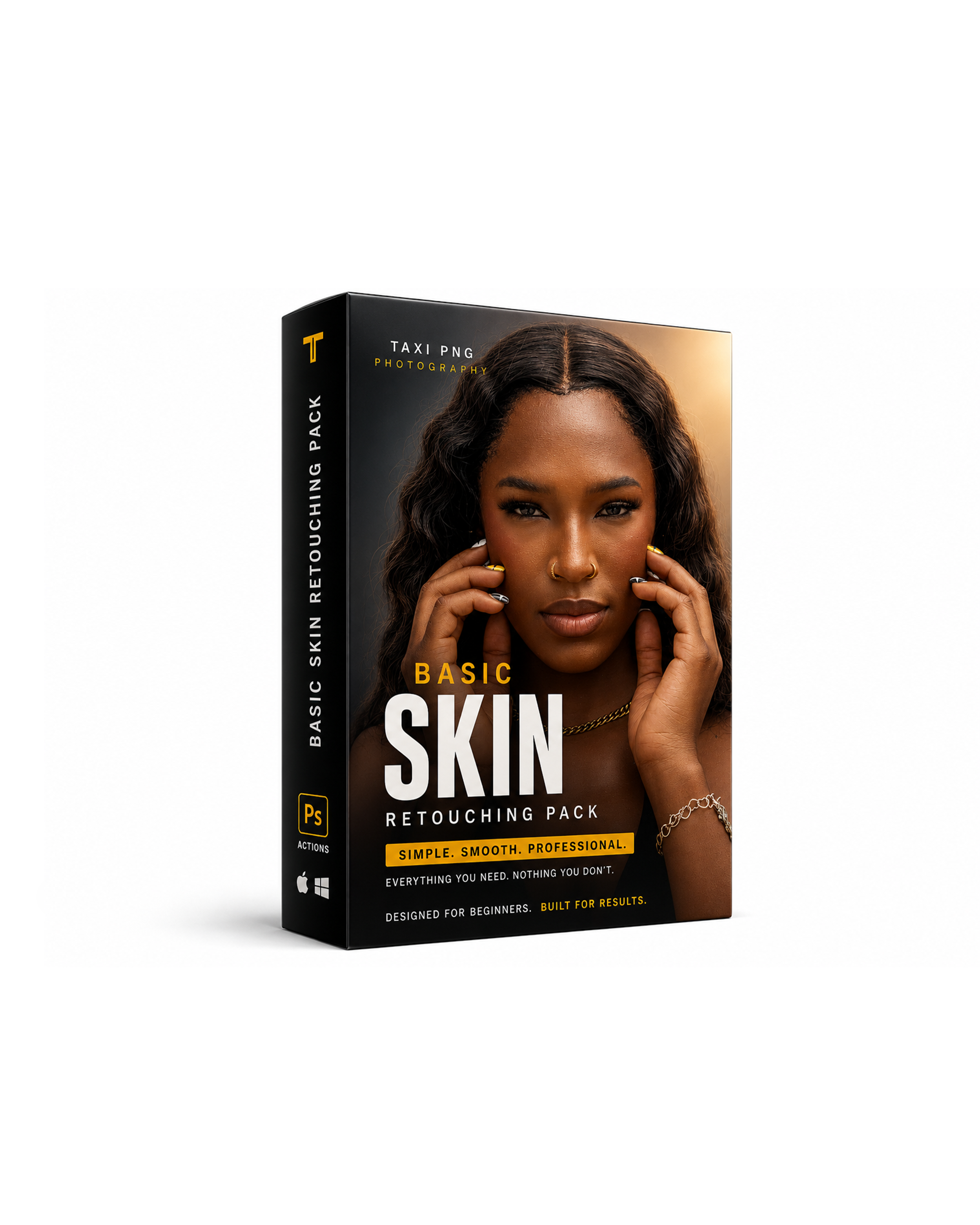 Image 1 of 6
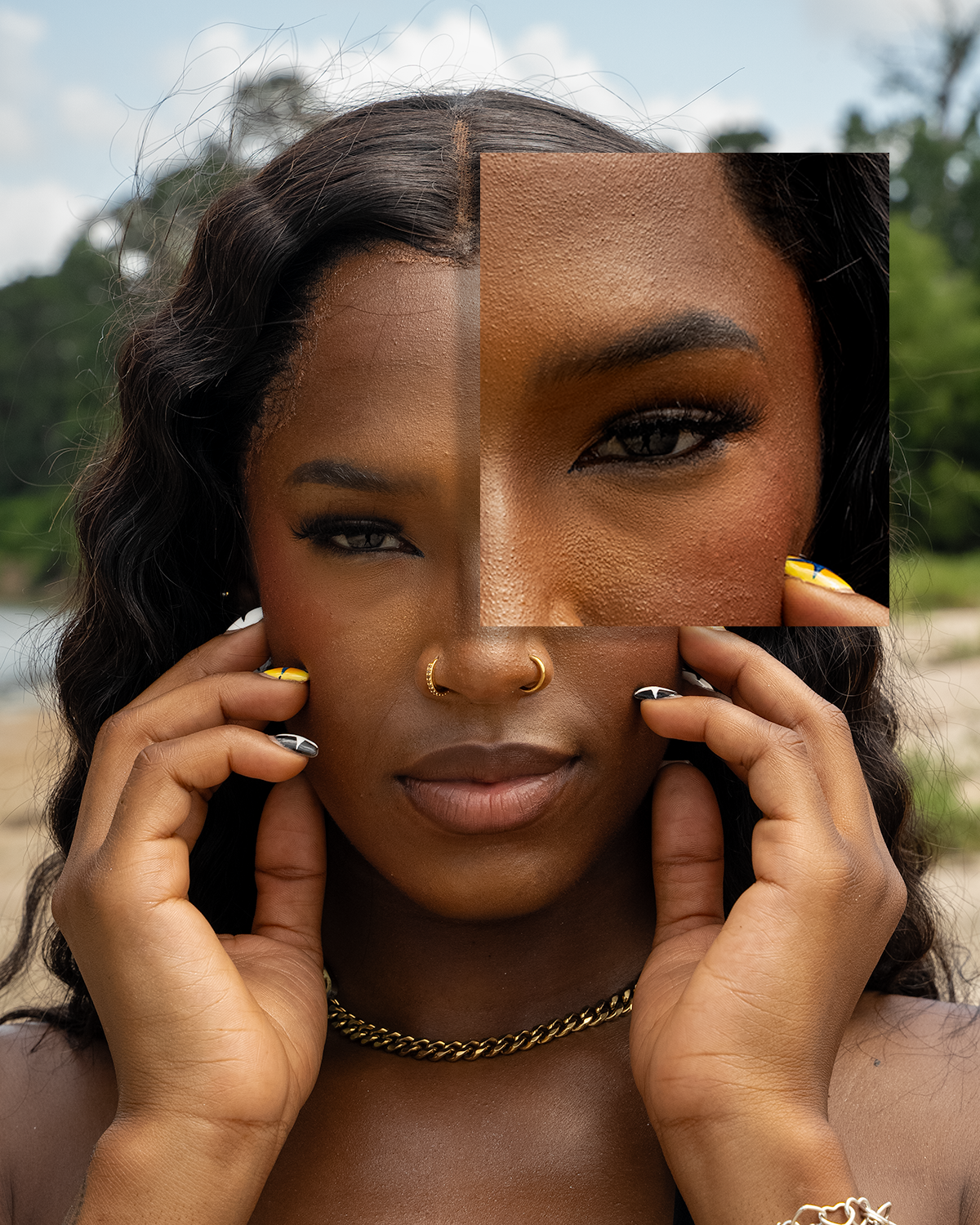 Image 2 of 6
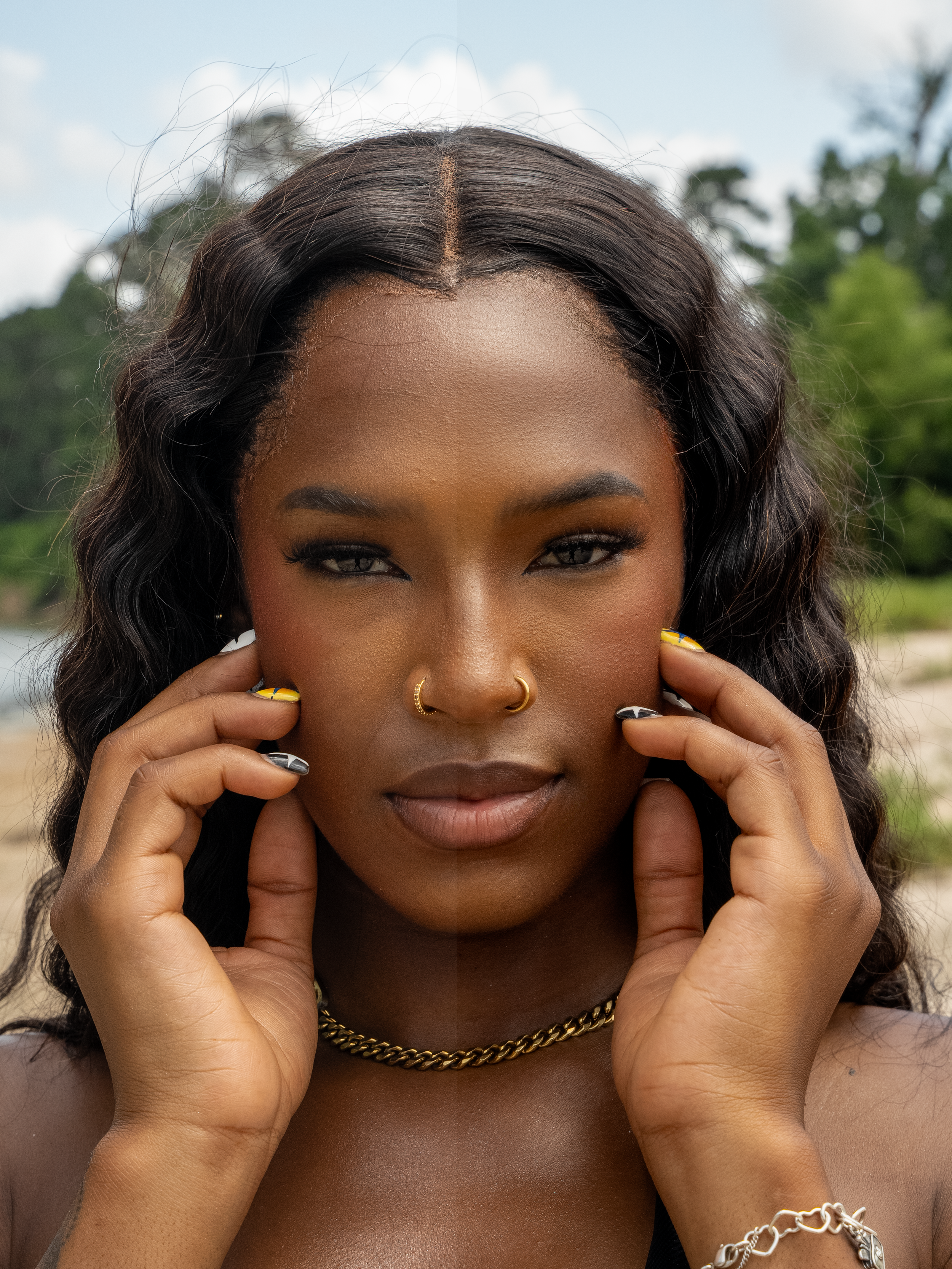 Image 3 of 6
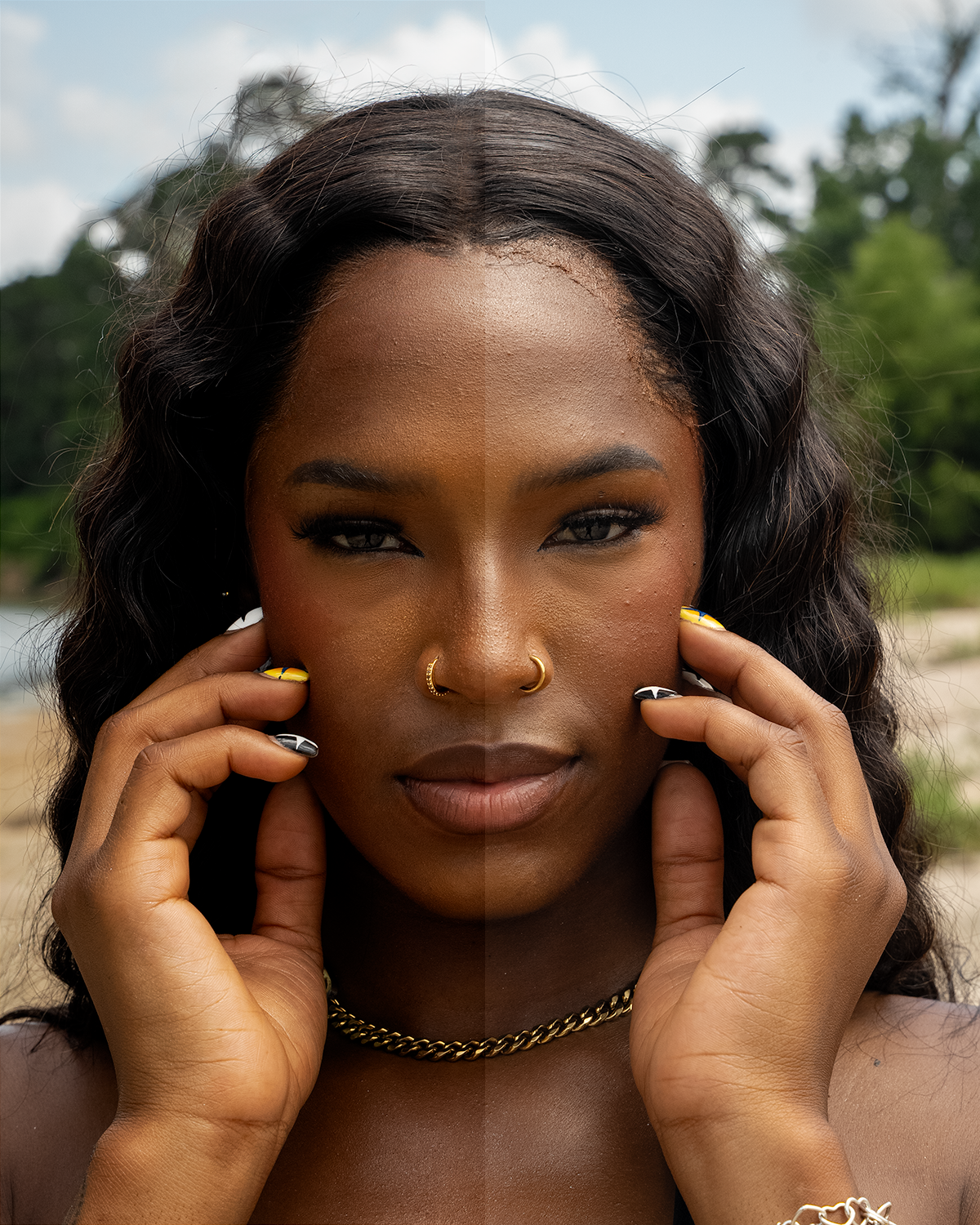 Image 4 of 6
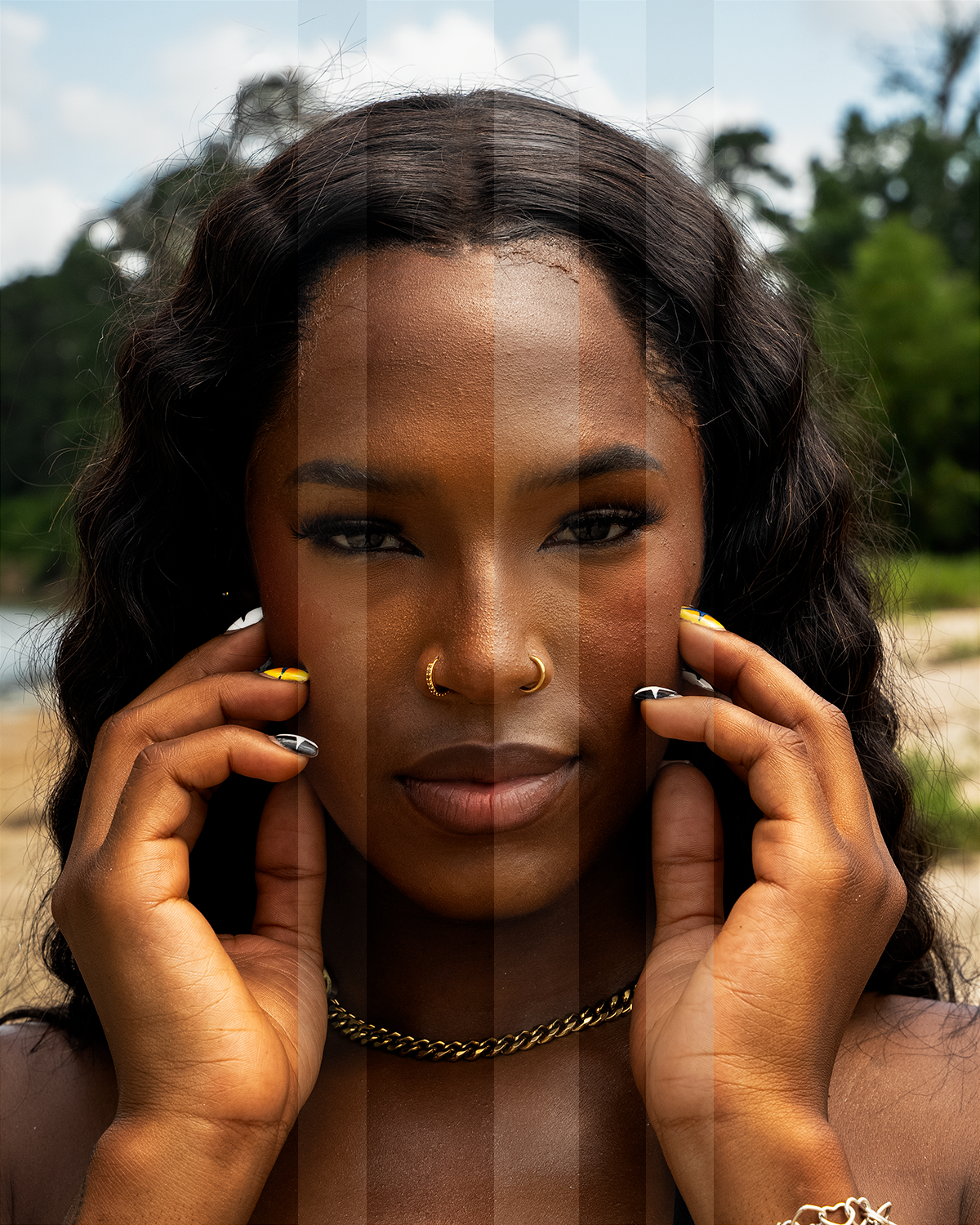 Image 5 of 6
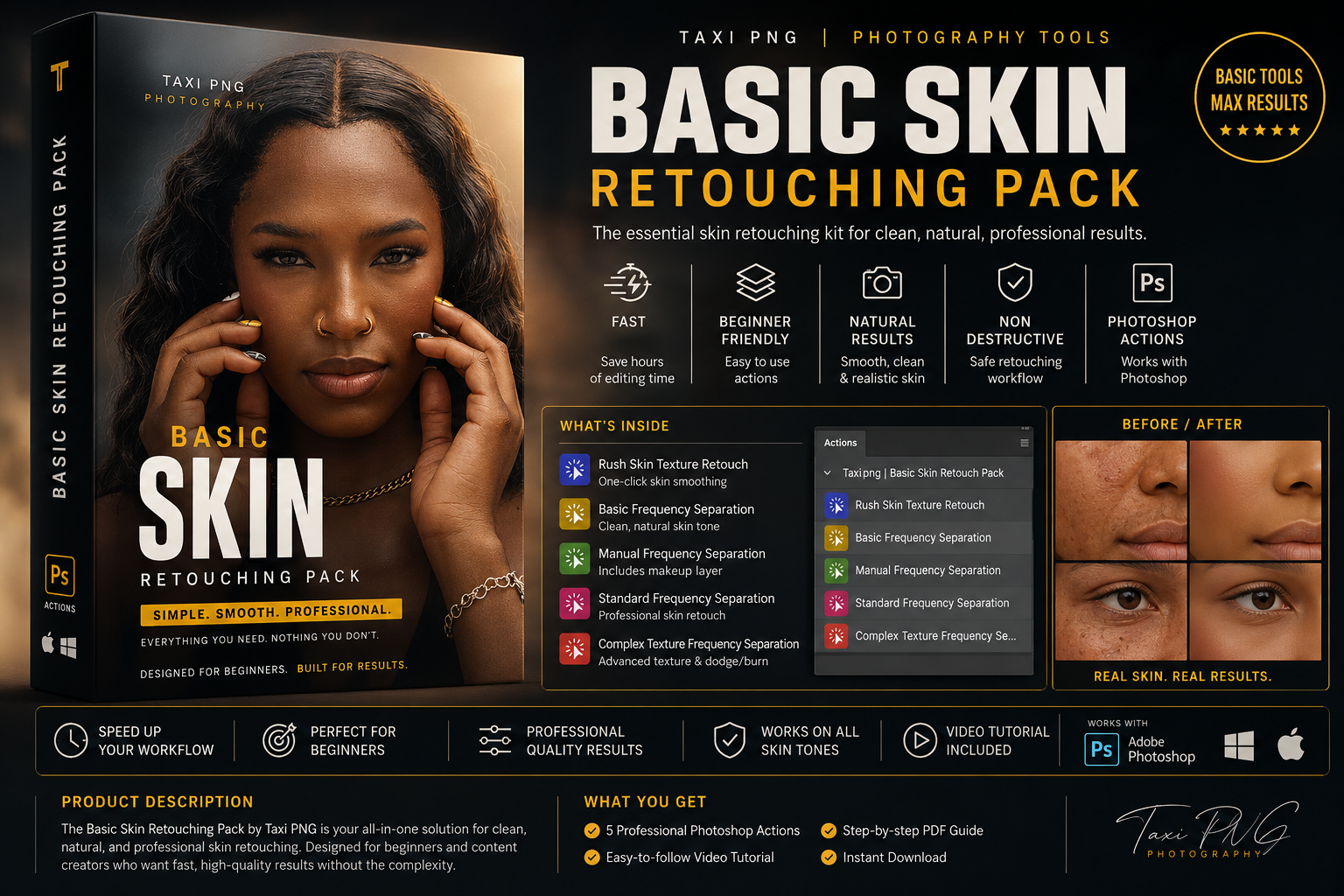 Image 6 of 6